Building a website is like doing business in the digital world. The hosting serves as your virtual shop or office building, while the domain is your online address and brand gateway—it’s how people find you. Therefore, choosing the right hosting and domain is the foundation for creating a high-performance and reliable website. In this unit, you’ll gain a comprehensive understanding of server types, hosting configurations, domain strategies, and registration management**. You’ll learn how to achieve maximum stability and search-engine friendliness at the lowest possible cost.
Apply for and activate your corporate email account
Corporate email accounts use the company's official website domain as their suffix, maintaining consistency with the corporate brand to build a stronger brand image and enhance user trust.
Once the hosting is purchased, it's equivalent to securing a rental property. The next step involves basic functional planning, namely installing the core website program.
WordPress consists of three main components: the core framework (the bare-bones structure), plugins (functional extensions), and themes (visual styling and layout).
WordPress themes are like interior design plans for a house—they determine the layout, style, and aesthetic, ultimately shaping the visual impression and experience your website delivers to visitors.Designing or selecting a theme that aligns with your product and brand identity is crucial, as it conveys your aesthetic.is one of the key factors in winning over customers.
Choosing a theme is just as important as selecting a home renovation design. Carefully screen your options to find the one that best suits you, and avoid frequent theme changes later on. After all, you wouldn’t want to redecorate your house every few months, right?
How to Choose and Purchase a WordPress Theme
Before building a professional WordPress website, choosing the right theme is one of the most crucial steps. A well-designed theme determines your site’s overall appearance, performance, SEO friendliness, and user experience.This lesson will walk you through how to find and buy the perfect WordPress theme on ThemeForest.net, the world’s largest theme marketplace.
🌐 1. Introduction to ThemeForest.net
ThemeForest is the world’s leading marketplace for website templates and WordPress themes, operated under the Envato Market network.
Click the image to visit Theme Forest
It gathers thousands of professional designers and developers from around the world and offers over 50,000+ WordPress themes, covering nearly every industry and niche.
Key Advantages:
✅ The largest and most active theme marketplace
✅ A huge variety of industry-specific and multi-purpose themes
✅ Live demo previews available for every theme
✅ Official review and ongoing updates for security and compatibility
✅ One-time purchase with lifetime usage rights (includes 6 months of free support)
Enter your email, username, and password to register
After logging in, go to your profile icon → “Settings” → “Payment”
Add your preferred payment method – Credit Card (Visa/MasterCard) or PayPal
💡 Tip: PayPal is highly recommended for faster checkout and global compatibility.Chinese users must access the external network for their initial registration; otherwise, registration will fail. If you lack access to the external network or do not possess a PayPal or credit card account, you may authorize this site to purchase on your behalf for a 10% service fee.
🎯 3. How to Search for the Right Theme
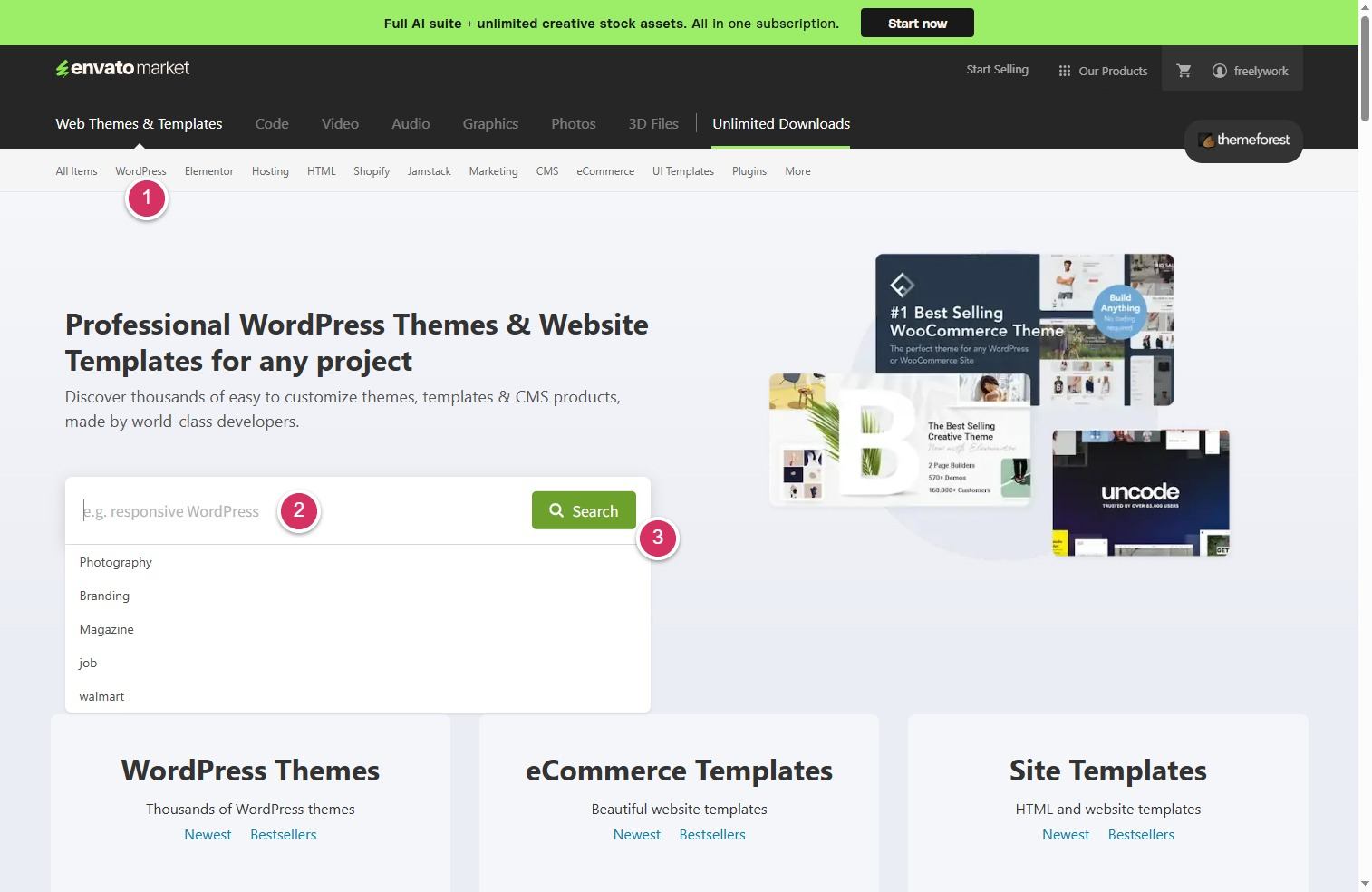
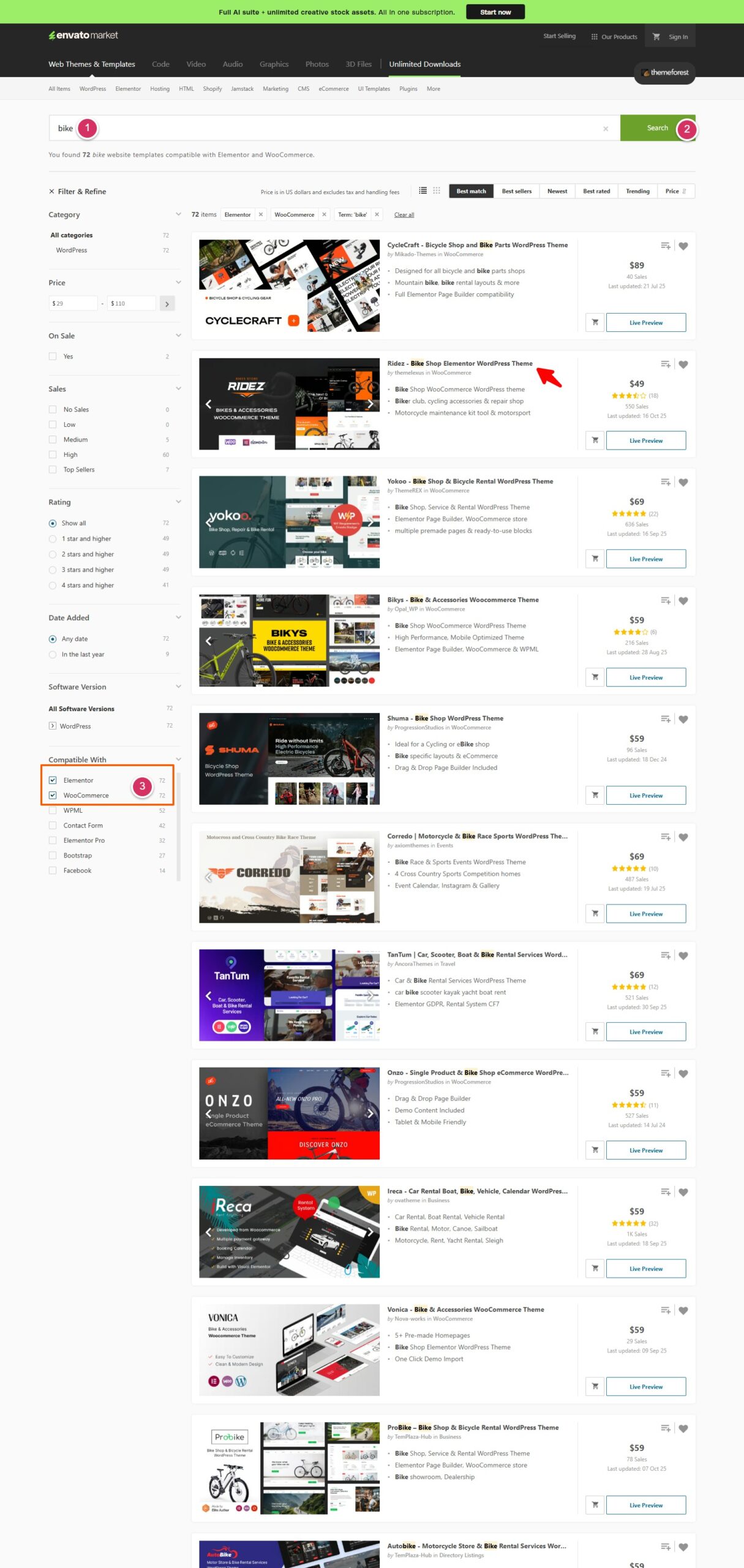
With thousands of themes available, it’s important to search strategically. You can find themes from multiple perspectives,Click the WordPress menu, enter your keywords in the search box, and click Search:
1️⃣ By Business Model or Purpose
Choose based on your website’s core functionality:
Corporate / Business Website → search for Corporate / Business / Company
Marketplace or Directory Site → Marketplace / Directory / Multi-vendor
2️⃣ By Industry or Product Keyword
Use product or niche-related terms, for example: Battery, Automotive, Construction, Agriculture, Travel, Fitness, Technology
3️⃣ By Design Style and Visual Keywords
If you care about the look and feel, use style keywords such as: Minimal, Clean, Modern, Dark, Elegant, Corporate, Creative
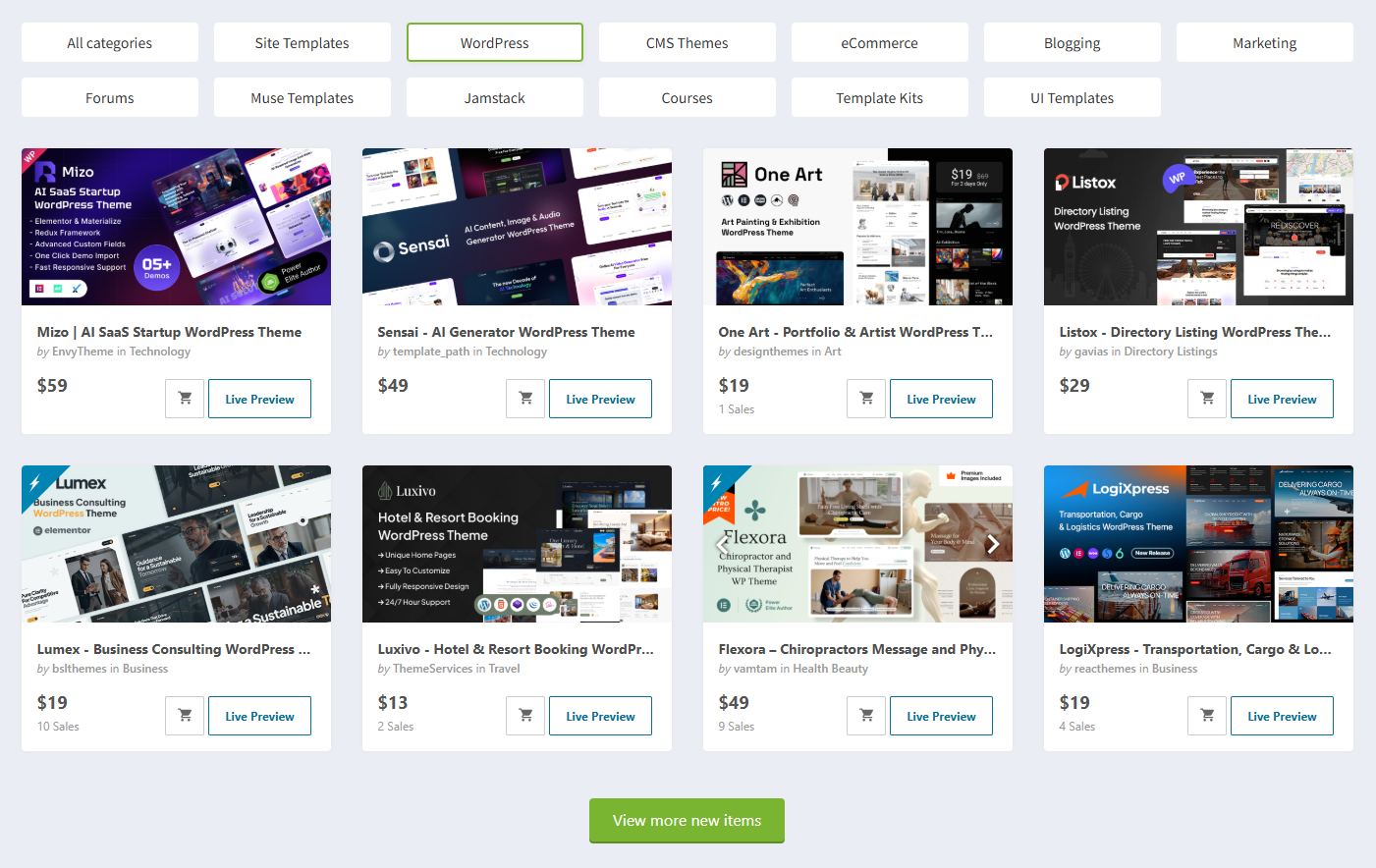
Taking my planned ship model website as an example, when I searched for the keyword “Ship Model,” I didn’t find ideal options. So let’s shift our thinking: a website theme designed for selling bicycles could actually be repurposed for selling ship models by simply replacing the content and images. This shows flexibility is possible. Here, I searched for the keyword “bike.”
The top priority is functionality. For instance, my website requires e-commerce capabilities. WordPress’s store functionality is powered by the WooCommerce plugin. Therefore, if your site plans to sell products online and process payments—essentially, if you’re building an e-commerce platform—you should choose a theme that includes the WooCommerce plugin.
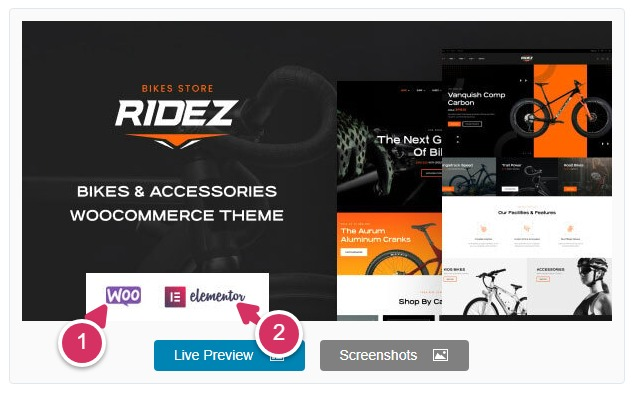
WordPress-based e-commerce plugin: WooCommerce, commonly known as Woo, with a purple logo. If you’re building a website focused on online sales or product display, choose a theme compatible with WooCommerce.The theme introduction will provide an explanation.
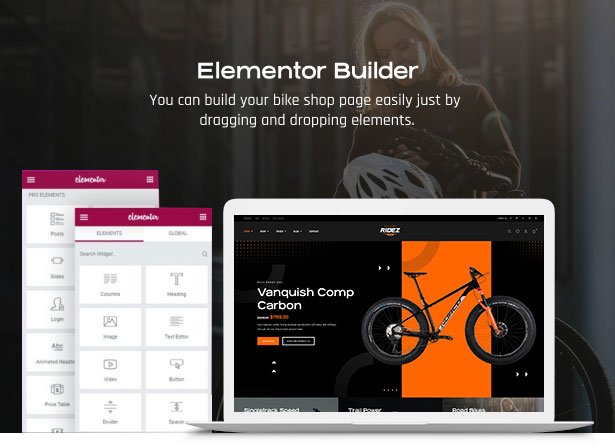
Elementor Visual Page Builder, featuring a magenta logo. For beginners, we highly recommend choosing themes that utilize the Elementor editor for page construction—this will help you get started much faster.This will make modifying page layouts a breeze later on. It’s like a puzzle tool—very intuitive.
You can filter functions using the filter at the bottom left.
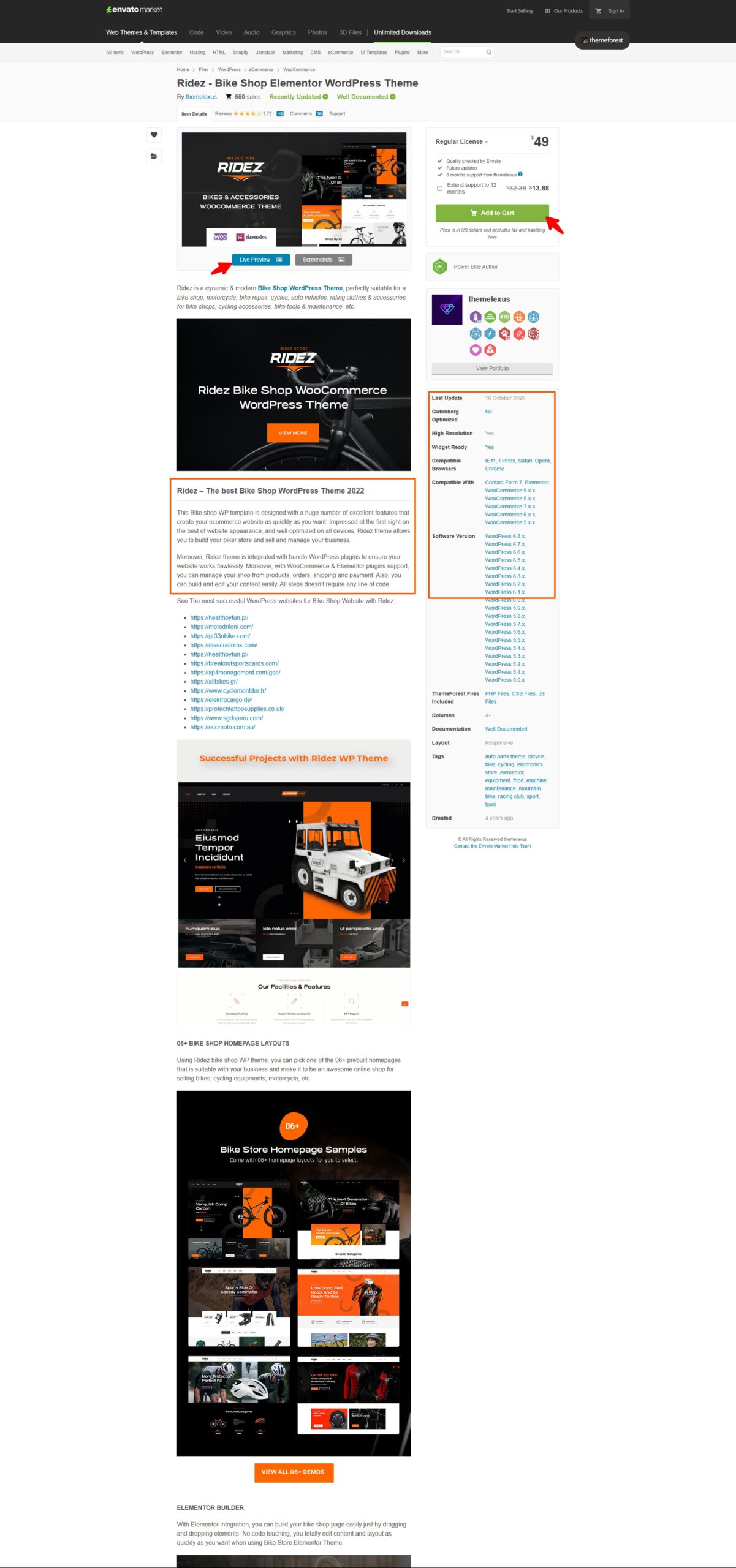
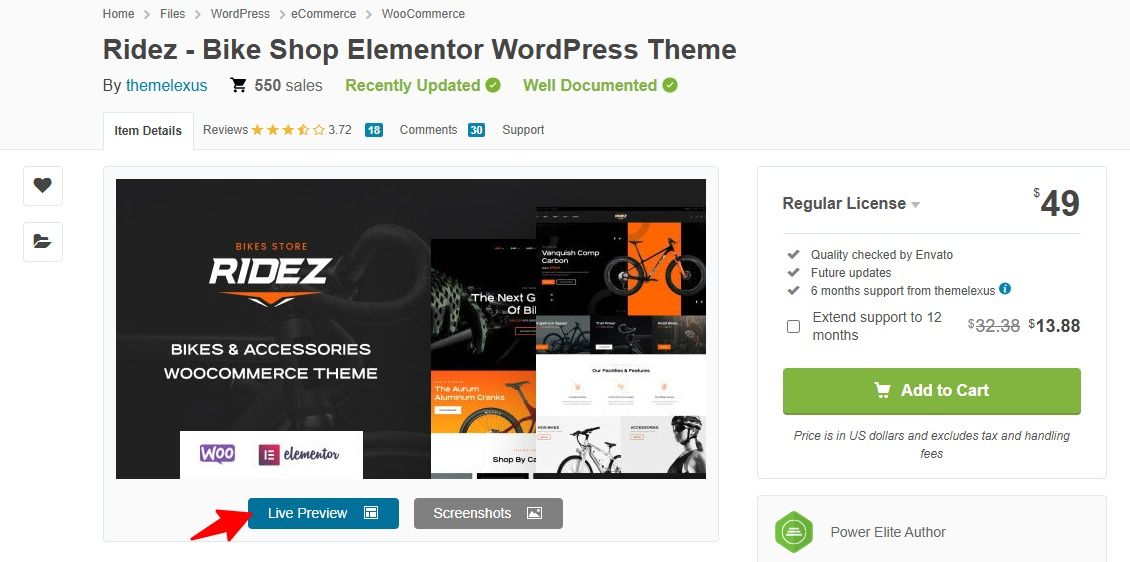
Here I selected the second theme. Clicking the title opens the details page. Before adding it to the cart, I first read the theme description thoroughly. The right sidebar displays information such as the browsers this theme supports, the compatible WordPress core version, the compatible WooCommerce cart plugin version, and the theme’s last update date (I try to avoid themes that haven’t been updated in over a year).
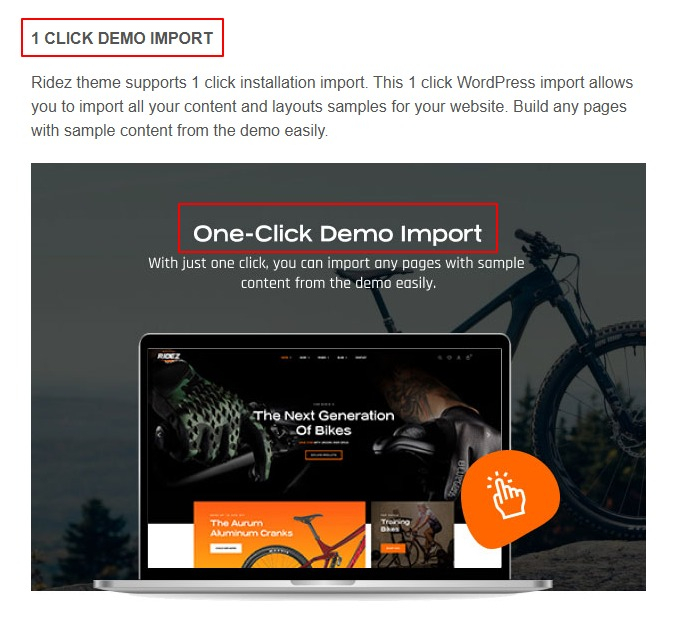
🔍 Pro Tip: When selecting a theme, it’s essential to choose one that includes a one-click demo data import feature. This allows you to import demo content directly through the backend, quickly creating a website identical to the demo site. You can then simply modify the demo pages with your own content. This is the fastest and most efficient method. Without demo data, you’d have to manually create pages and layouts, which is significantly more difficult and may prove challenging to accomplish. Therefore, remember to always select a theme that includes one-click demo data import.In fact, most themes released in recent years include demo data import functionality, but it’s still advisable to verify this carefully.This is typically explained in the specific description.See the figure below:
Additionally, the Theme Forest website not only sells WordPress themes but also Shopify and HTML themes. Therefore, it is crucial to ensure you select themes that align with your website’s core purpose. Otherwise, purchased and downloaded themes may prove unusable, and the platform does not accept refunds. Keep this in mind.
📄 4. Understanding the Theme Details Page
When you open a specific theme page, you’ll find several key sections:
Section
Description
🏷️ Theme Name & Author
Displays the theme name and the developer’s profile
⭐ Ratings & Sales
Indicates popularity and user satisfaction
💬 Overview
A short summary of features and use cases
🧩 Compatibility
Lists WordPress version support and whether it works with WooCommerce
🖼️ Preview & Screenshots
Click “Live Preview” to explore the demo site
📦 What’s Included
Usually contains theme files, documentation, and demo data
🔁 Update Log
Shows the theme’s latest maintenance and version history
💡 Recommended: Choose themes rated above 4.8 stars and updated within the last 6 months.
🌐 Exploring Theme Demos (Example: Ridez Theme)
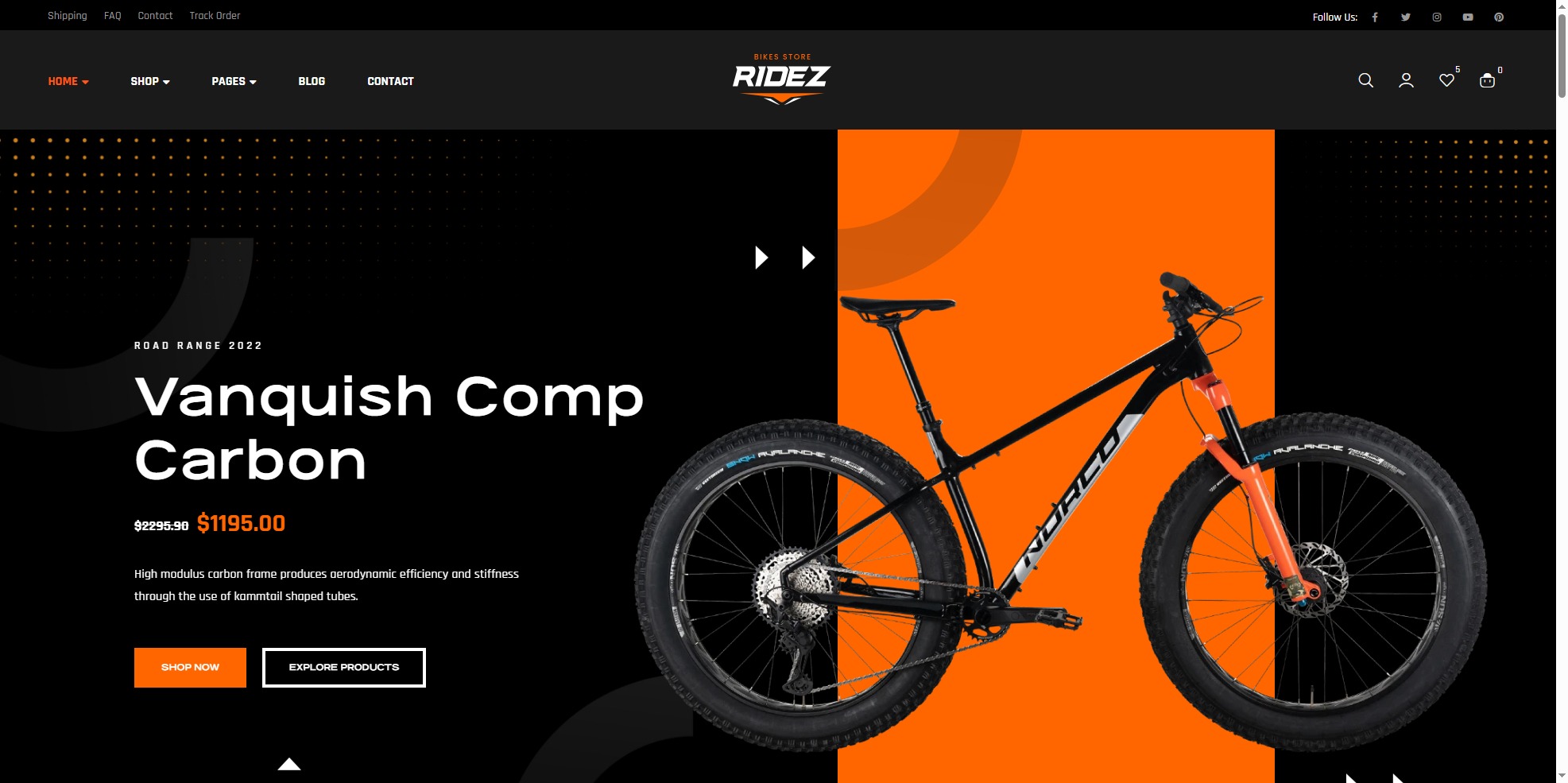
Before purchasing or installing a WordPress theme, viewing its demo site is a crucial step. Using the I want to buy Ridez Theme Demo as an example, we can clearly understand a theme’s design style, structure, and level of customization.
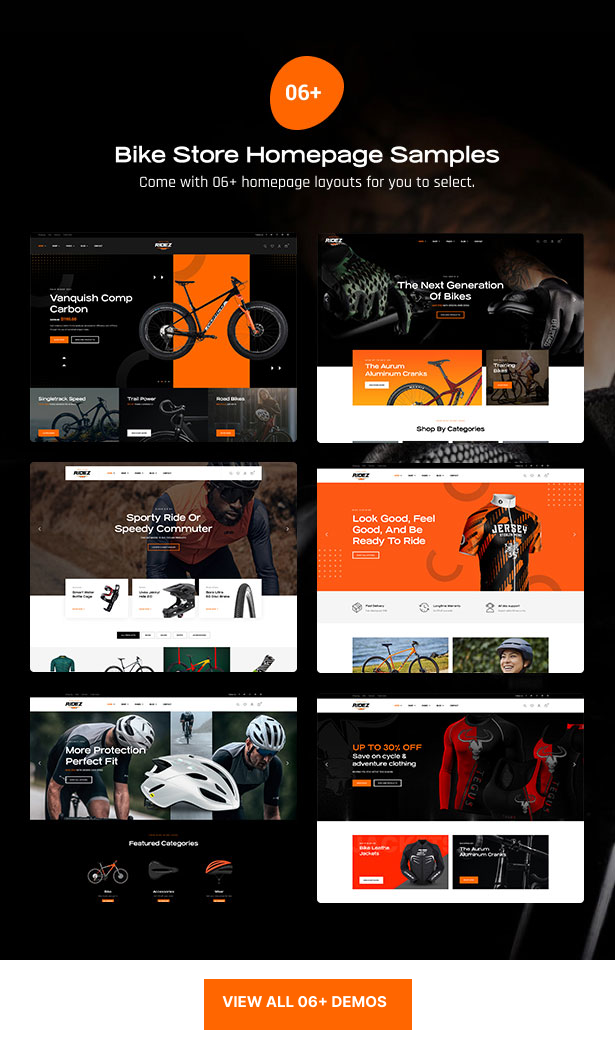
Many themes typically offer multiple layouts and styles, and a single theme can even be used to build various different product websites,For example, this theme offers six different homepage layouts:
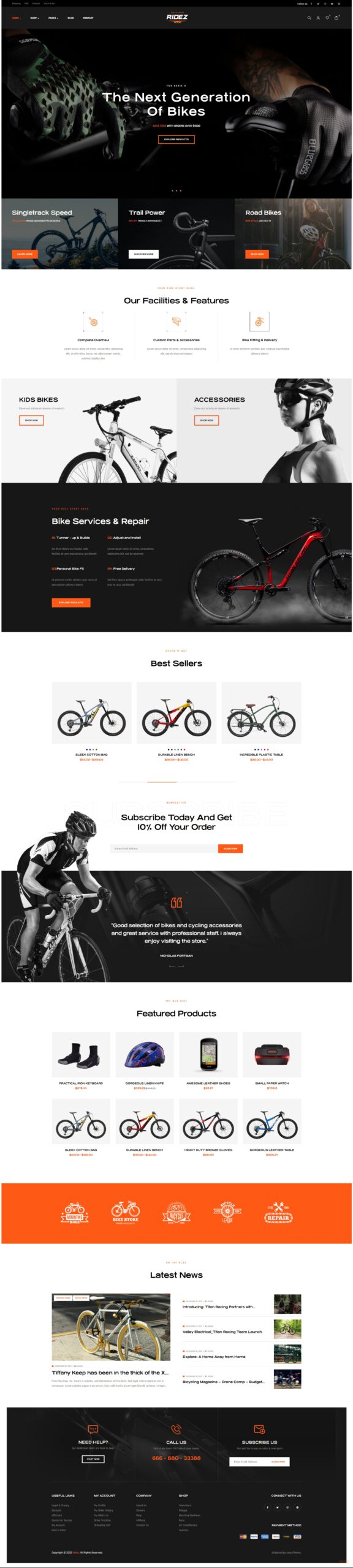
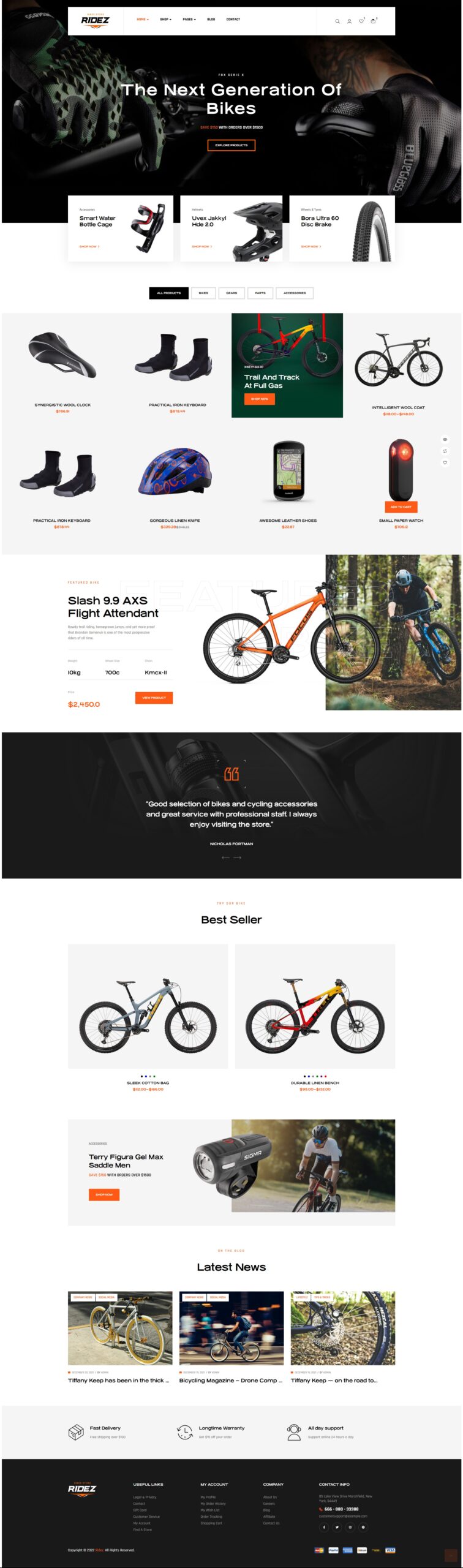
Click the Live Preview button below the screenshot at the top of the theme details page.You can also preview multiple different home page layouts within the Home menu and select the one that best suits your needs, such as:
All elements on different layout pages can be freely combined later through copy-and-paste operations.Moreover, you can choose to disable any unnecessary content modules based on your needs, making the page appear more streamlined.Of course, more layouts aren’t necessarily better. What matters is that they meet your needs. Even if there’s only one layout, as long as it’s professional and highly tailored, it’s better than a bunch of mediocre designs.Some all-in-one themes offer dozens of solutions, but I don’t recommend purchasing these themes. Being a jack-of-all-trades often means being a master of none. Don’t expect a single theme to meet the needs of multiple websites.
🎨 1. The Purpose of a Theme Demo
A theme demo works like a showroom — it lets you experience how the theme looks and performs in real use. Through the demo site, you can preview complete layouts for the homepage, product pages, blog, contact page, and more.Using the theme I selected as an example, fully experience its demo site effects:👇
Ridez – Multi-store WooCommerce Theme
Your ride start here.
Experience the theme demo in depth to fully understand every page and feature. Carefully select the theme that best meets your expectations before making a purchase decision, as purchases are non-refundable. Additionally, once your site goes live, changing themes later will be extremely time-consuming.
🧩 2. What a Theme Usually Includes
A professional WordPress theme typically contains much more than a single design. Most themes include:
Multiple Homepage Layouts – A theme may offer 3–10+ different homepage styles (usually listed under the “Home” menu).
Inner Page Templates – Such as “About Us,” “Team,” “Blog,” “Shop,” or “Contact” pages with multiple layout variations.
Reusable Modules – Sections like sliders, service showcases, testimonials, counters, or video blocks can be copied and pasted into any page.
Global Styling Options – Fonts, colors, icons, backgrounds, and buttons can all be easily changed, replaced, or hidden — giving you full creative control.
⚙️ 3. Language Independence
When choosing a theme, you don’t need to worry about language. Even if the demo is in English, the theme itself is language-neutral. Because WordPress employs a modular design that separates language and content from themes and the backend. So, You can use any language as the initial content language for your website when building and creating it,You can later create any language version (e.g., Chinese, Spanish, Arabic) using multilingual plugins like TranslatePress, WPML, or Polylang.
🔍 4. Key Points When Browsing a Theme Demo
When evaluating a theme, make sure to:
Explore every page to understand its layout and structure.
Check all homepage variations and find one that best fits your brand identity.
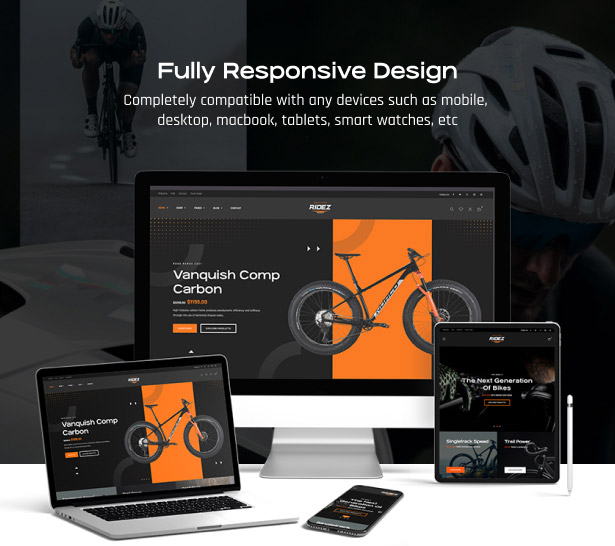
Test responsiveness by resizing your browser or viewing it on mobile devices.
Observe interactive effects such as menu animations, scrolling transitions, and image loading speed.
Confirm plugin compatibility, especially for WooCommerce(e-commerce), Elementor(Visual Editor), and other essential tools.(According to your own needs)
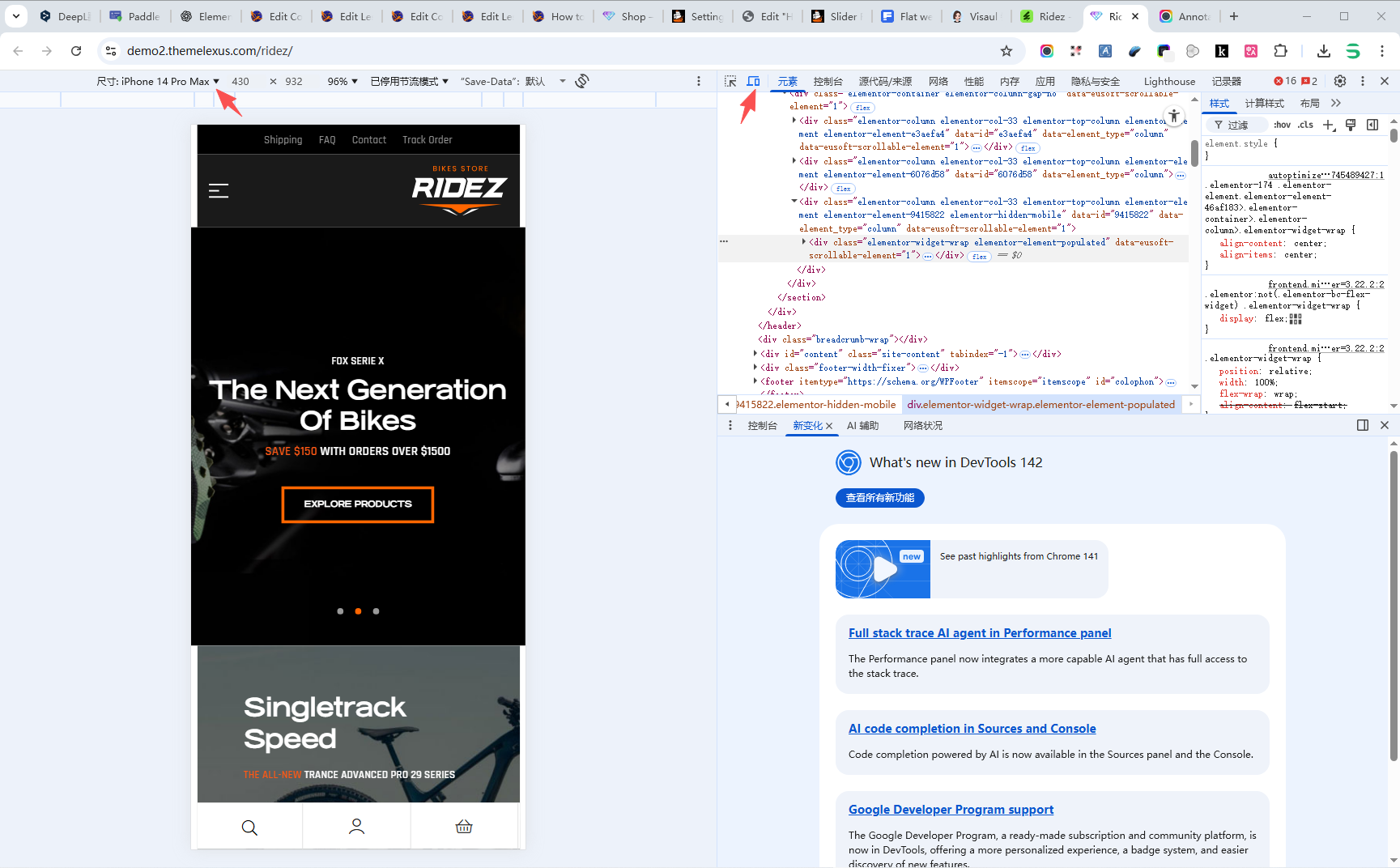
Check adaptive effects A good website must deliver a seamless user experience across computers, laptops, iPads, and mobile phones. Therefore, we recommend checking your theme’s mobile responsiveness. You can enter the demo site URL in your mobile browser or open the demo site in Microsoft Edge or Google Chrome on your computer. Right-click in a blank area and select the Inspect menu. On the pop-up page, click the computer icon shown below. From the dropdown menu on the left, select different mobile devices to simulate their viewing experience:
✅ 5. Final Tip: Experience It Yourself
Don’t make decisions based only on screenshots! Visit the live demo site, browse every page, click through every feature, and test every layout. Only by fully exploring can you determine whether the theme truly meets your website’s needs and goals.
💡 Pro Tip: While browsing the demo, take notes of your favorite layouts and elements — this will make it much easier to rebuild your preferred style later when designing your actual website.While evaluating the demo site, consider whether it aligns with your vision and requirements for your future website. Ignore the demo site’s content, images, and language—all can be customized and replaced later. Focus instead on the style, layout, functionality, and overall feel.
Author Profile
Sean Lee
Freely.work Founder,15 years as a freelancer/digital nomad.Marketing consultant for Fortune Global 500 companies, digital marketing expert.



 December 17, 2025Mastering Google Search Console (GSC)
 December 16, 2025Yoast SEO Plugin: Overview, Benefits, and Installation Guide
 December 16, 2025What Is an SEO Plugin?
 December 2, 2025Adding Variable Products with Multiple Configurations