

How to choose the right domain name?
A concise, memorable domain name that conveys meaning at a glance is a valuable digital and brand asset, crucial for a website’s future promotion and development.
How do you choose the right domain name?
The .com top-level international domain is typically the preferred choice, as it enjoys the widest global recognition. However, it is also the most competitive domain, with many desirable words or phrases already registered by others. Therefore, it is essential to experiment extensively, explore variations, and conduct thorough screening.
You can enter your desired content in the domain name search box to check if it’s still available for registration.Numerous hosting providers, domain registrars, and cloud computing platforms offer domain name lookup and registration services, such as Amazon Web Services, Google Cloud, and China’s Alibaba Cloud and Tencent Cloud. It is advisable to purchase your domain name, hosting, and server from the same provider whenever possible, as this simplifies management and maintenance in the long run.
Here’s the English version of the domain registration and selection principles — optimized for clarity, professionalism, and SEO best practices.
🧭 I. Strategic Principles: Branding and Positioning First
1. Short and Memorable
- Keep the domain between 6–12 characters whenever possible.
- Avoid hyphens (“-”) or numbers unless they are part of your brand name.
✅ Examples: - ✅ goodbattery.com
- ❌ best-lithium-battery-123.com
2. Brandable and Unique
- Your domain name is part of your brand identity — it should be distinctive and easy to read.
- Use your brand name or a creative variation instead of generic keyword stuffing.
✅ Examples: - spiderway.com (branded domain)
- digitalmarketingflow.com (brand + keyword combination)
3. SEO-Friendly
- Include your main keyword naturally (e.g., battery, energy, charger, lift) to help search engines understand your website’s topic.
- Place keywords at the beginning if possible, but avoid over-optimization.
✅ Examples: - spiderwaybattery.com
- spiderwayenergy.com
4. Globally Usable
- Ensure the domain has no negative meaning in other major languages.
- Prefer simple, English-based words that are easy to spell and pronounce.
- For international business, prioritize .com or global extensions like .net
5. Consistent Branding
- Check if the name is available across social media platforms (Facebook, Instagram, YouTube, LinkedIn, etc.).
- Maintain consistency in your brand name across your domain, logo, and social handles to strengthen recognition.
⚙️ II. Practical Principles: Security and Scalability
6. Prioritize .com
- .com remains the most trusted and recognized domain extension globally.
- For country-specific markets, consider adding local domains (.cn, .us, .de).
- Register backup domains like .net, .co, .cn, .store to prevent competitors from taking them.
7. Avoid Trademark Conflicts
- Check international trademark databases before registration.
- Avoid using existing brand names or similar terms that could cause confusion or legal disputes.
8. Plan for Future Expansion
- Avoid overly narrow domains that limit your future product lines or markets.
✅ Examples: - ❌ spiderwayforkliftbattery.com (too narrow, limited category)
- ✅ spiderwayenergy.com (broader, brand-oriented)
9. Register and Protect Variations
- Secure common misspellings of your brand to prevent phishing or traffic hijacking.
- Use a reputable registrar (Google Domains, Namecheap, Cloudflare, GoDaddy, Hostinger, Aliyun……etc.).
- Enable WHOIS privacy protection to avoid spam and data leaks.
Note: Domain registration information can be modified, the domain can be transferred, or it can be migrated to another service provider platform at a later date.
If your desired .com domain is already taken, you can still consider exceptionally good niche domains that align with the above principles. For example, this site uses Freely.work—symbolizing free work—which is actually quite memorable and easy for users to understand. That’s why I chose this domain.
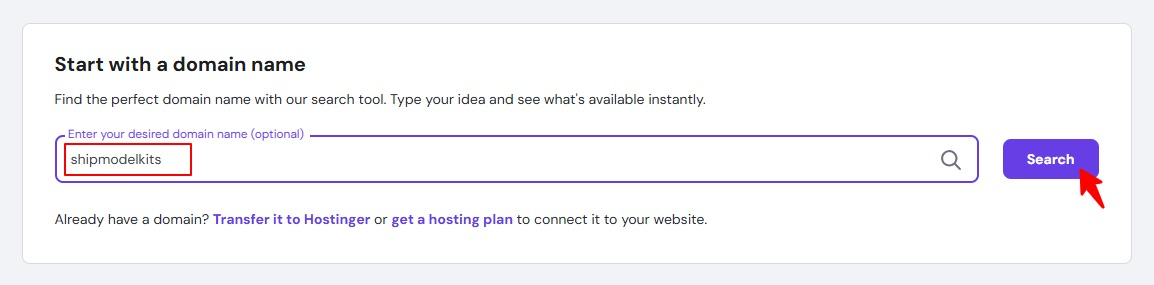
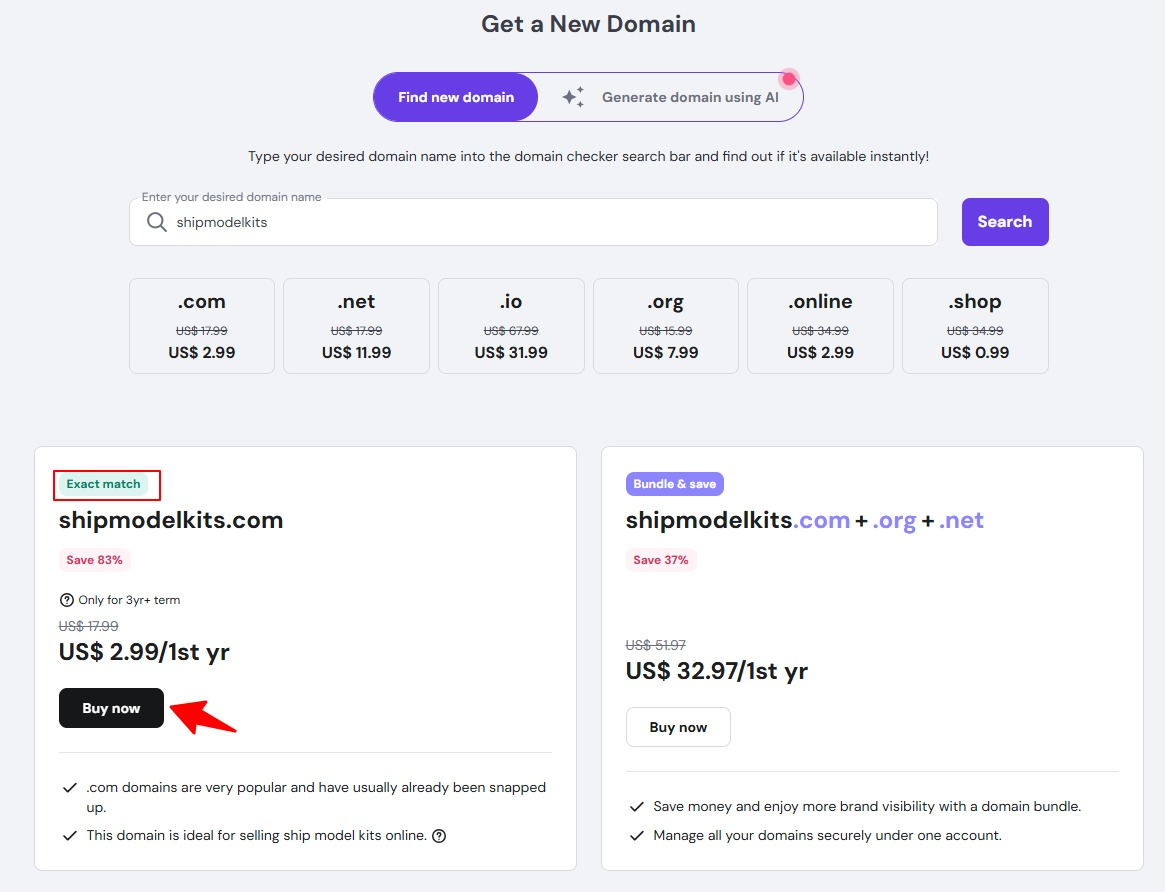
Taking this ship model kit as an example, we chose to register the domain name Shipmodelkits.com. Native speakers will immediately understand that this website sells ship model kits upon seeing the domain name. Additionally, the domain contains the core keywords we aim to promote, which will also benefit Google SEO.
Enter the domain name you wish to search and register, then click Search:
View search results and click to buy:
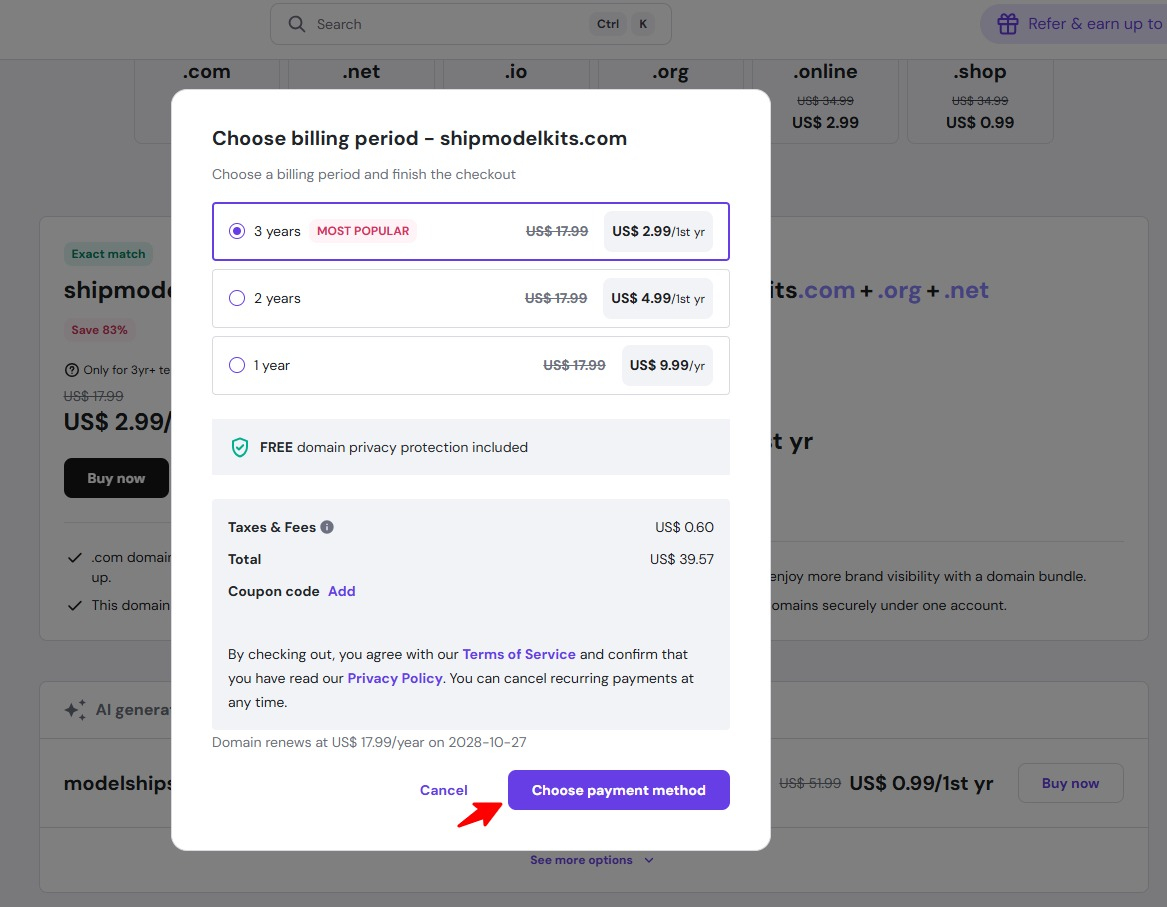
Select registration period and payment method:
After confirming your domain selection is correct, enter your credit card or PayPal payment information to complete the transaction:
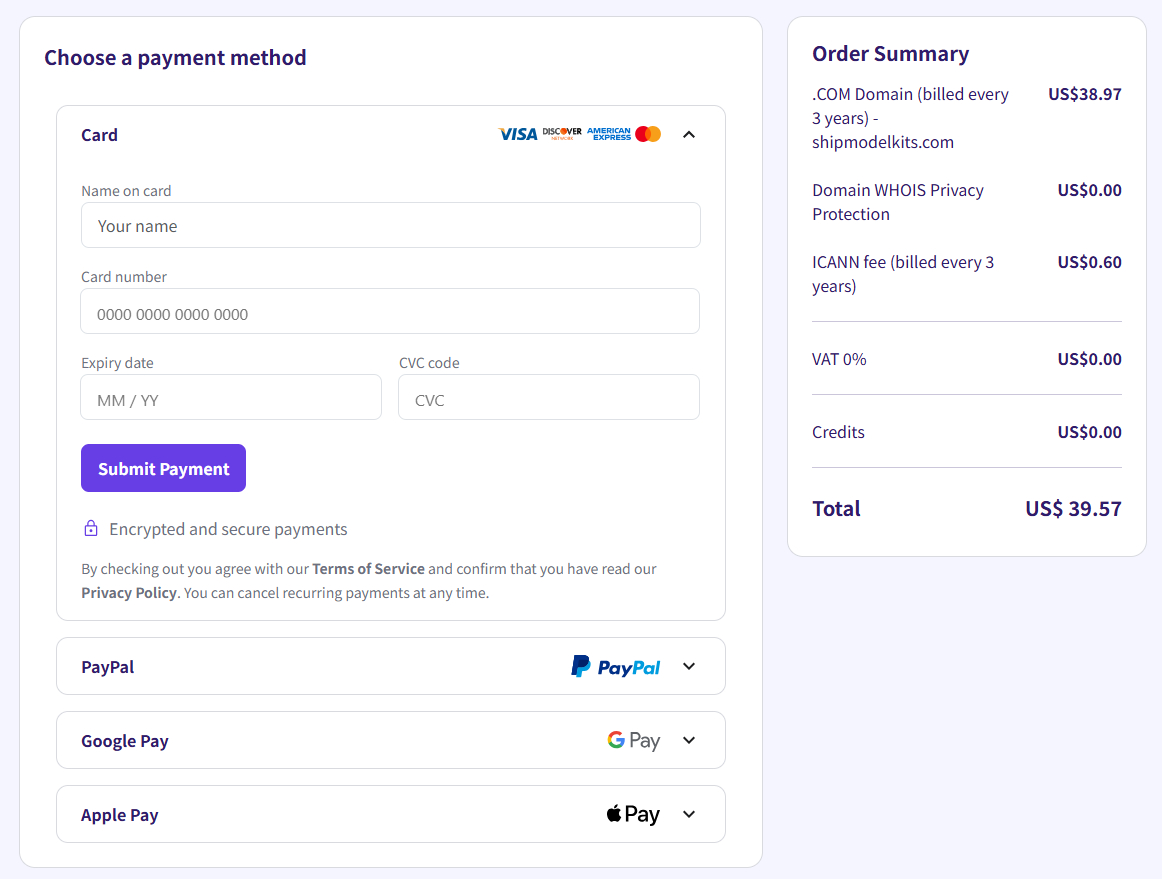
If you don’t have an international credit card, you can register a PayPal account. This is equivalent to China’s Alipay and can be linked to a debit card or Alipay for payments and future receiving activities. You can select your country and language, and the account is globally accessible. Registration link:https://www.paypal.com/signin
After successful payment, you will need to provide the domain owner and contact information. The owner can be either an individual or an organization:
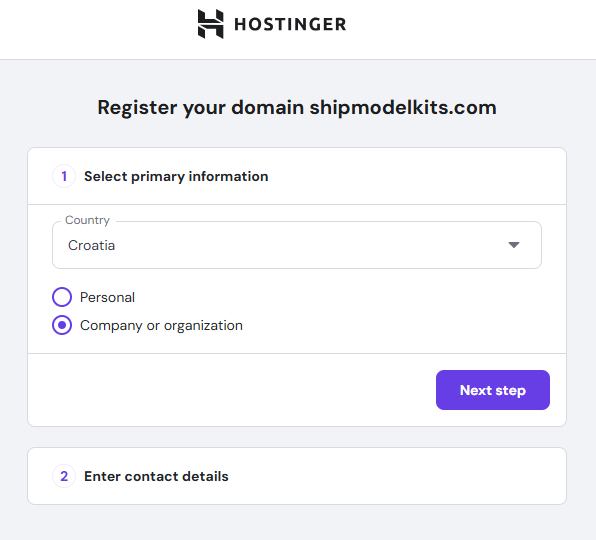
After filling in all the information, (Note: Please fill in your information. If you are building a website for an employer or client, please fill in theirs.) click the Register button.
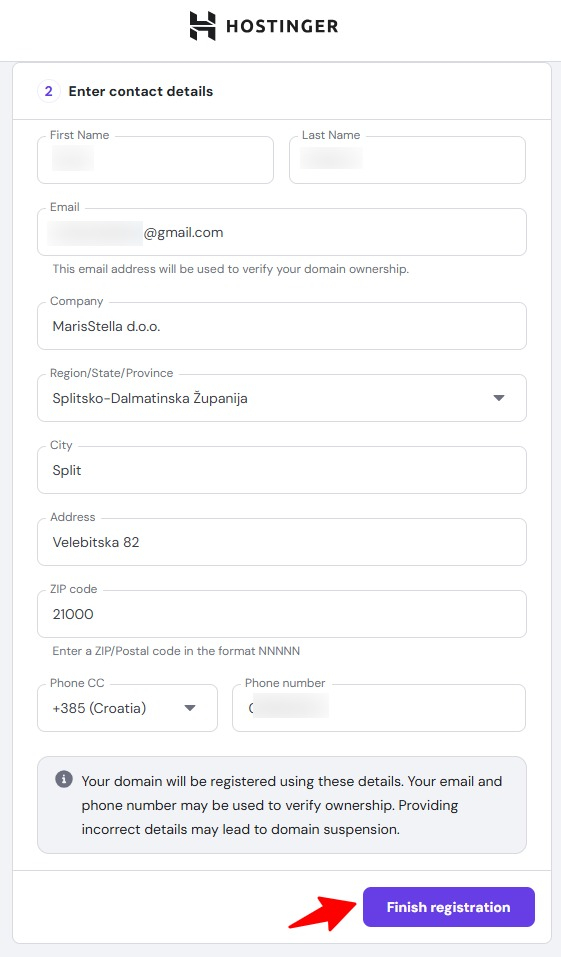
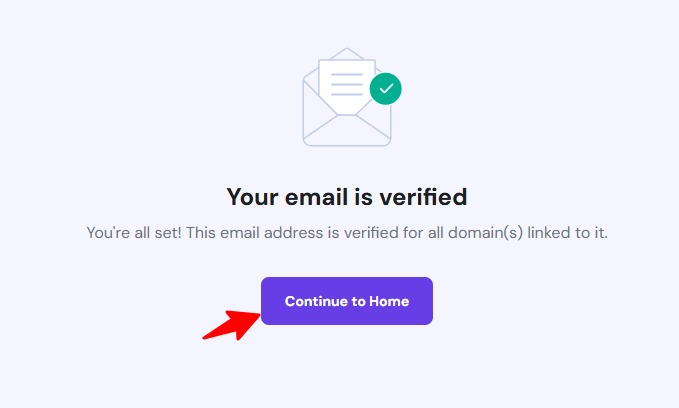
After completing the registration, log in to your email to verify your account.
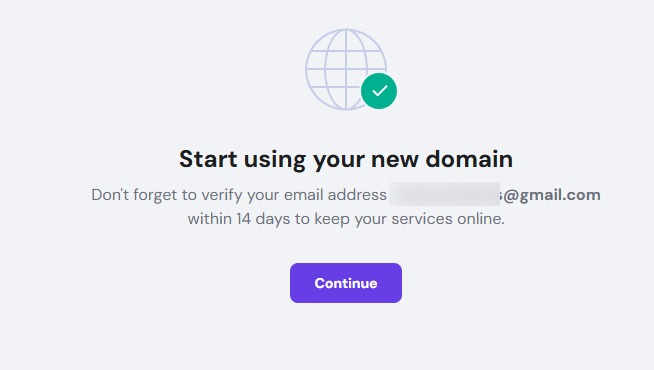
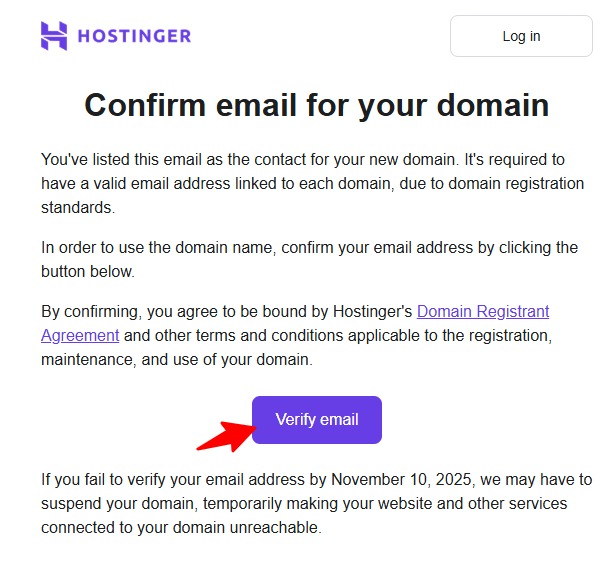
Verification complete. Return to the homepage.
After returning to the management panel homepage, your domain registration is complete. Should you need to register new domains or build new websites in the future, simply click the Domain menu on the left and repeat the previous registration process. Once your domain is registered, the next step is to sign up for a business email account. You can click the button in the bottom right corner or navigate to the Email menu on the left to access the free business email sign-up page.
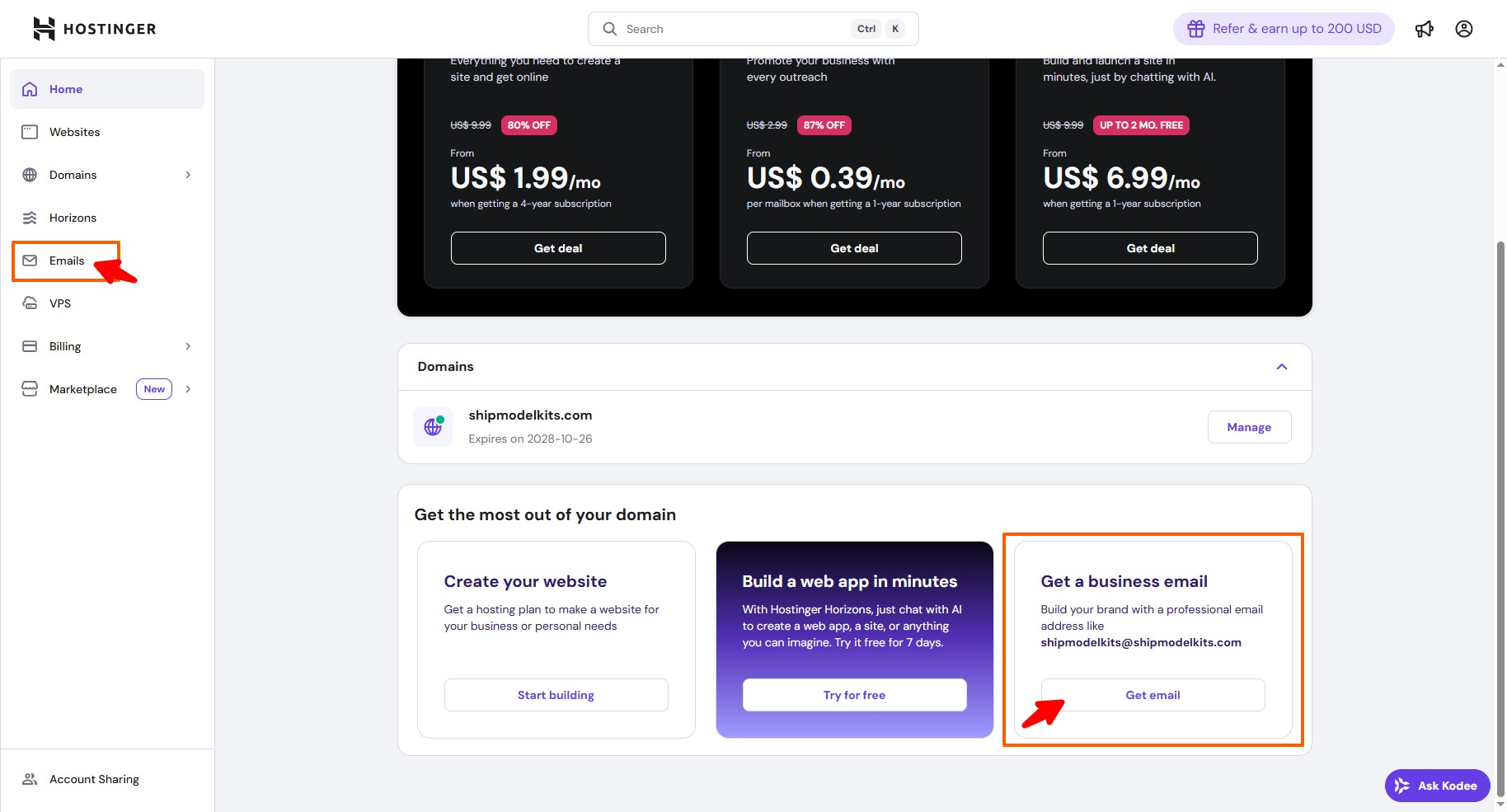
We’ll cover business email-related topics in our next lesson.
Author Profile

- Freely.work Founder,15 years as a freelancer/digital nomad.Marketing consultant for Fortune Global 500 companies, digital marketing expert.
Latest entries
 December 17, 2025Mastering Google Search Console (GSC)
 December 16, 2025Yoast SEO Plugin: Overview, Benefits, and Installation Guide
 December 16, 2025What Is an SEO Plugin?
 December 2, 2025Adding Variable Products with Multiple Configurations